Most of us have watched a video where the sound slips out of sync. An actor’s lips move, but the words arrive half a second later. Nothing is missing from the recording, yet the mismatch makes the scene harder to follow.
Robot training data can run into a similar problem. A 30-second robot demonstration might include several camera feeds, lidar readings, joint positions, and gripper signals, all recorded at the same time. Each stream captures a different part of what the robot is doing, and the labels need to match the exact moment each event happens.
This process is called robotics data annotation. It involves labeling raw sensor recordings with the objects, movements, and events a robot needs to learn from. As more companies collect real-world demonstrations to train humanoid robots, the work of labeling and checking this data is becoming crucial.

Simply put, collecting these recordings is only the first step. The labels also need to be accurate and consistent across all the sensor streams, and getting that right can be difficult. In a recent survey, 59% of visual and physical AI teams named bad labels and annotation rework as a major challenge. Among teams with models already in production, that figure rose to 66%.
Part of the problem is that robot data connects several streams of information. A lidar reading that falls out of place or a delay between sensors can throw off how the labels fit together. So, robotics annotation has to keep every sensor recording aligned on what happened, where, and when.
The annotation type or method also depends on the data being collected. Video, images, lidar, and point clouds each capture different details, so they need different labeling approaches. On top of that, teams have to verify label accuracy and make sure events align across streams before the data goes into training.
In this article, we’ll break down data annotation for robotics across video, images, lidar, and point clouds. We’ll also explore how teams check annotation quality before using the data to train robots. Let’s get started!
Before we look at each type of data, let’s see why robotics data annotation is more complex than labeling a folder of photos.
In a typical image dataset, each file stands on its own. An annotator opens a picture, labels what’s in it, and moves on. Robot data is collected in episodes instead, where each recording follows a robot as it attempts a task from start to finish. Most robot datasets are organized this way.
Because each episode captures a task as it unfolds, data annotation for robotics AI has to track timing. Camera frames, joint positions, and gripper commands must align. If a wrist camera shows a gripper closing before a gripper signal records it, the two streams don’t match.
Beyond timing, robots also need labels for the steps they take and the objects they handle. A robot learning to plug in a cable needs to know when it lines up the cable, when it pushes it into the socket, and whether the connection succeeds. If those steps are marked at the wrong time, the robot may learn the wrong movements.
The WEB-1K dataset is a good example of annotated robot data. It contains 50,266 teleoperated episodes across 90 everyday tasks, from sorting dinnerware to scooping coffee beans. Each episode combines joint data with three synchronized cameras recording at 60 frames per second. Every frame is labeled with the step the robot is performing, such as placing a small bowl inside a larger one.
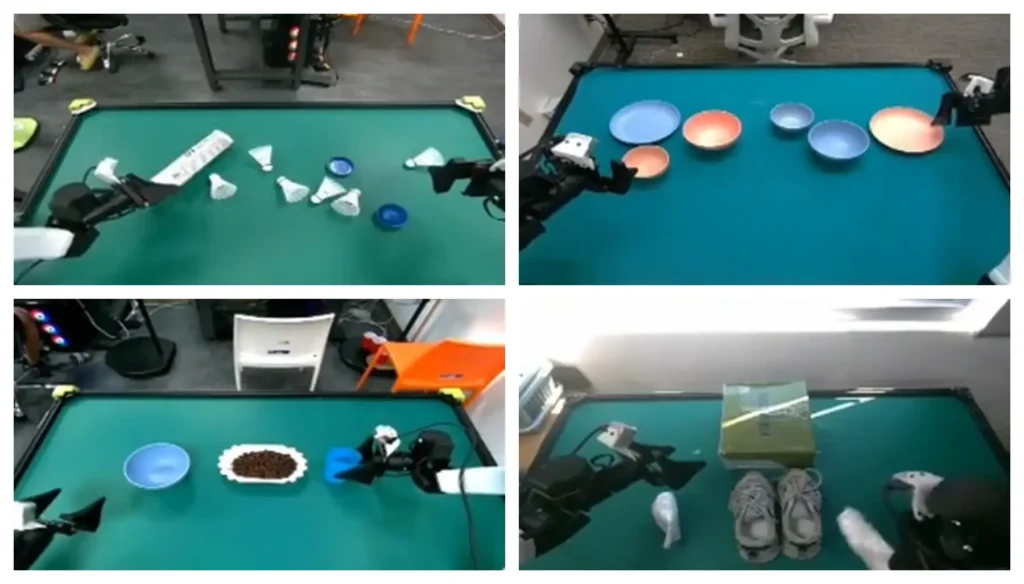
Annotators first mark these step labels in seconds of video and then match them to individual frames. This can leave a boundary error of a few frames, or under half a second.
Frames without a clear step, such as the lead-in before a task begins, are left blank. Small details like these affect how clearly the training data shows where one step ends and the next begins.
Now that we’ve seen why robot data is organized into episodes, let’s look at how annotators label what happens in each recording.
Video annotation for robotics tracks the actions a robot takes and when they happen. Annotators mark where each step begins and ends, helping the robot learn how a task unfolds from one movement to the next.
Here’s a closer look at the main labels added to robot video:
Getting these labels right can take multiple passes. In a recent study, a research team used an AI model to label robot demonstrations in three stages. First, the model split each episode into rough steps. It then refined each step’s start and end and marked the frame where the goal was visibly reached.
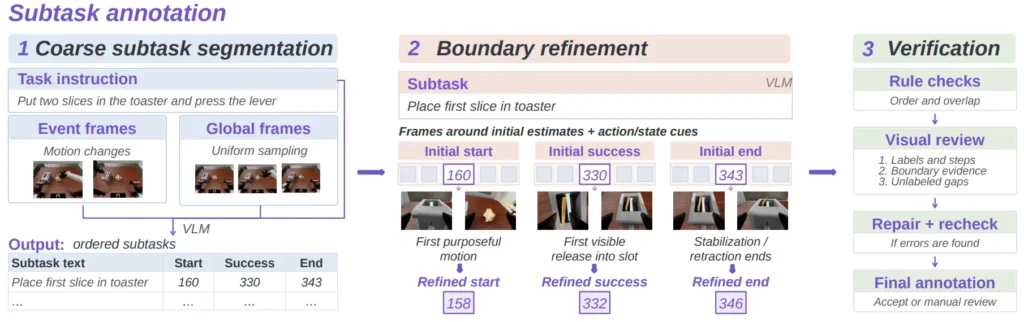
A final check reviewed the order of the steps, and anything still unclear was sent to a person for review. These small adjustments are vital because a robot needs to learn the right moment to act. Over thousands of episodes, small timing errors can teach the robot to close its gripper before it reaches the object.
Video annotation tracks actions over time, but a robot also needs to know exactly where to reach or make contact. Image annotation for robotics provides that detail by labeling individual frames, often keyframes taken at important moments in a task, such as just before a grasp or placement.
A bounding box can show the model where a mug is, but it can’t tell the gripper where to hold it. To do that, annotators trace the object’s outline with masks, mark keypoints on handles and edges, identify grasp points, and record the object’s pose, its position and orientation in space.
An interesting example is the SutureBot2 dataset, which was recorded on pork belly treated with synthetic blood. Across 7 hours of video, annotators marked where the needle should enter and exit the tissue and drew wound masks on 853 images. Using these points as targets on camera images, the robot completed an average of 79.8% of its suturing steps.
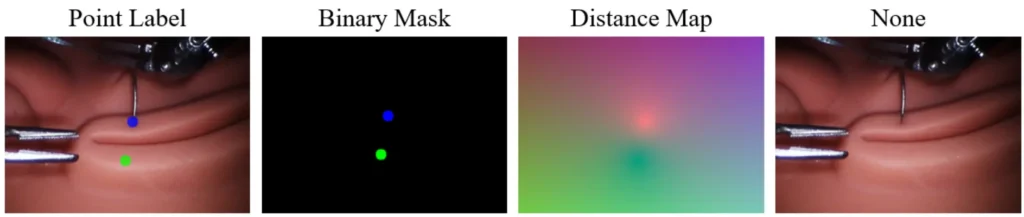
These labels get harder to get right with certain materials. Glass and clear plastic let the background show through, making their edges hard to trace.
Polished metal reflects nearby objects that can be mistaken for part of the object itself, while cloth, cables, and soft tissue can change shape between frames. A mask that fits one keyframe may no longer match the object’s shape in the next.
To address this, teams often use AI models to generate an initial set of masks and keypoints, then have annotators review and correct them. This review step is especially important for transparent, reflective, and flexible objects, where labels are easier to get wrong. Even a keypoint placed a few pixels off can direct the gripper to the wrong spot.
Images show a robot where an object sits in a flat frame. Lidar adds depth by measuring the distance to objects around the robot. Point cloud annotation for robotics AI labels this 3D data using boxes and segmentation. Annotators also assign tracking IDs so the same object or person keeps its identity across scans.
Driving datasets show how this works at scale. For instance, the Waymo Open Dataset contains 12.6 million 3D boxes with tracking IDs, along with calibration data that aligns lidar scans with camera images. Indoor robot scans pose different challenges because the robot often works close to objects and needs to interact with them directly.
Here’s a closer look at what annotators need to watch out for when labeling these scans:
One research team ran into these challenges while building an indoor lidar dataset with a ground robot. As the robot moved through offices and cluttered rooms, annotators labeled the objects it scanned, and an expert checked every label. Yet when the team tested detection models on the real scans, every model scored zero on the less common objects.

That result shows that the choice of objects in a dataset can make or break detection. Lidar annotation for robotics AI needs careful review so the training data reflects the objects a robot will actually encounter.
After annotating robotics data, teams need to confirm it’s accurate enough for training. For video labels, one check is how far an action’s start or end frame can be off before it counts as an error. This limit is called a tolerance.
Teams can also ask two annotators to label the same clip, then compare their results. If they disagree on where an action starts or ends, the annotation guidelines may need to be clearer.
Timestamps need checking too, so each label matches the right camera frame, lidar scan, and gripper reading. Even when the timing looks right, a label can still describe the wrong action. For example, a clip might show a robot picking up a bottle while its label says “place bottle in box.” The label may look fine on its own, but it doesn’t match what the robot actually did.
One way to check robotics data annotation for machine learning is to train a model on the labels and see whether they help. Recently, a study tested this approach on real robot demonstrations.
Its authors deliberately mixed up some labels, then used an automated check to find and correct them. The robot trained on the corrected data succeeded 90% of the time, compared with about 74% when trained on the uncorrected data.
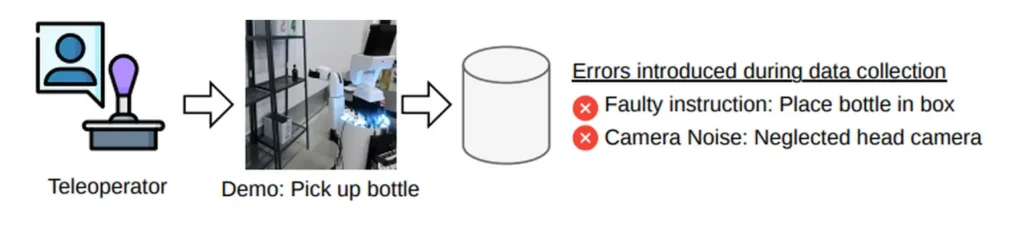
The results show how much robotics data annotation quality can affect a robot’s performance. Automated checks can flag possible mistakes, but a person still needs to review labels that don’t clearly match the task.
For teams that need extra support, a data partner can manage annotation and quality checks across different sensor types. At Objectways, we provide data annotation for robotics across video and images, with clear labeling rules and review steps. We also provide point cloud annotation for lidar recordings, helping teams prepare consistent data for robot training.
Like a video where the sound slips out of sync, robot data can look complete and still be hard to learn from. In robotics, a label is only as good as the timestamp it sits on.
A grasp marked a few frames too early can teach the robot to reach at the wrong moment. A lidar box matched to the wrong camera frame can place an object where it isn’t. Across video, images, and lidar, robotics data annotation depends on getting those details right.
That’s why all the sensor streams in an episode need to be checked together. Clear labeling rules and synchronized timestamps keep each label tied to the right moment. A final review catches mistakes before the data reaches training, giving the robot a more reliable picture of what happened and how to respond.
Looking for data annotation for robotics built around your sensors and tasks? Reach out to Objectways to learn more about our data annotation services.
Yes, data annotation is real work and an important part of building AI systems. People label images, video, text, and sensor data so models can learn from them.

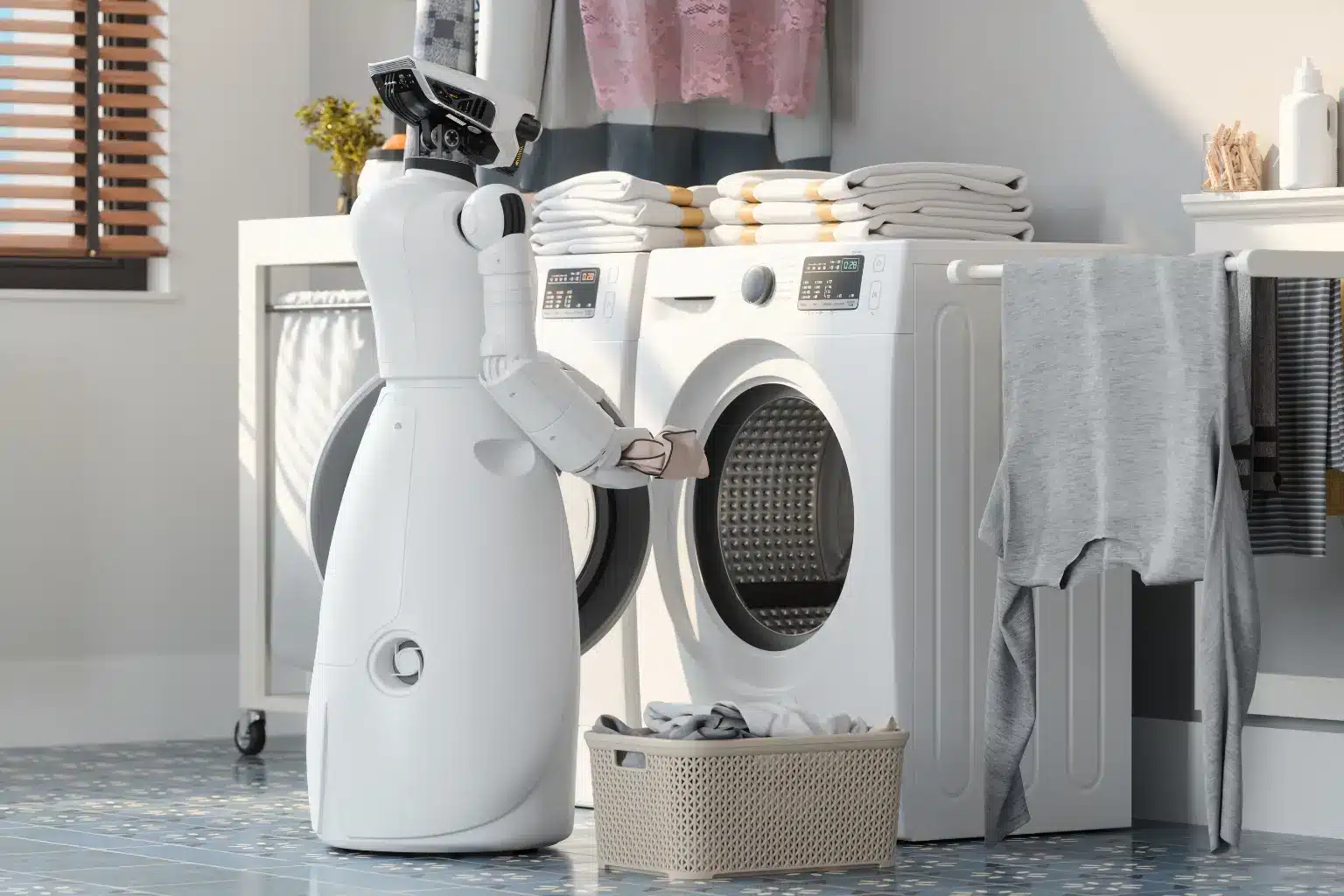
Explore the 7 core physical AI annotation types and learn how high-quality labels help robots understand, learn, and perform real-world tasks.
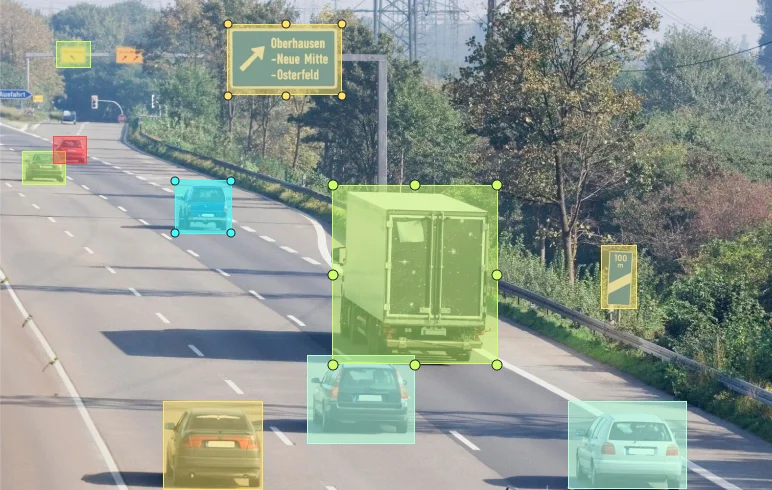
See how ground truth data powers accurate machine learning models, reduces bias, and strengthens trust in AI systems across industries.